One of the most crucial steps in safeguarding data in the case of a cyberattack is to have a backup plan. You can restore your data to its prior condition by booting from a saved backup in the event of a malware or ransomware attack.
Some businesses may choose to store their backups on an external hard drive, while others may use cloud-based services like Dropbox or Google Drive. However, you should have more than one solution in your backup plan to guarantee complete data security.
We'll talk about a variety of techniques and tips for efficient data backup and recovery in this article so you'll always be prepared. You can begin developing your data backup strategy that is specific to the requirements of your company by using these backup options.
Definition Of Data Backup And Recovery

Data backup and recovery are vital parts of contemporary information management; they are necessary to protect data from loss and guarantee company continuity. The practice of making duplicates of data to guard against unintentional loss, corruption, or calamities is known as data backup.
These backups are kept somewhere else than the original data, including on dedicated backup servers, external hard drives, or cloud storage. Establishing a dependable data repository that can be retrieved in the event that the original data is lost or damaged is the main objective of data backup.
The process of recovering data from these backups following a data loss incident is known as recovery, on the other hand. In order to minimize disturbance to corporate activities, this process includes retrieving and reinstalling data to either its original location or a new one.
Recovery may be required in a number of situations, including ransomware attacks, software corruption, hardware malfunctions, and human mistakes. Regularity and redundancy are key components of effective data backup and recovery techniques.
Frequent backups guarantee that the most recent data is available for recovery. At the same time, redundancy protects against the failure of any one backup source by keeping numerous backup copies in separate locations.
In an increasingly data-driven environment, these practices collectively provide operational security and peace of mind as the cornerstone of a robust data management strategy.
Different Types Of Data Backup
Knowing the various forms of data backup in the context of data management is essential to putting an efficient backup plan in place. The main characteristics that set these types apart are the methods and frequency of data copies, which affect storage needs and recoverability;
Full Backup
A full backup, which is the most thorough kind, entails copying every file and folder on the system. This technique streamlines the recovery procedure by guaranteeing that an entire copy of the data is accessible.
Full backups, on the other hand, take a long time and a lot of storage capacity because they replicate all of the data every time they run. They are usually scheduled less regularly, frequently serving as a backup type baseline.
Incremental Backup
When it comes to time and storage efficiency, incremental backups are superior. Subsequent incremental backups just transfer the data that has changed since the last backup, following an initial complete backup.
This method dramatically lowers the volume of data that needs to be backed up each time, which speeds up backup times and uses less storage space. But all successive incremental backups and the most recent complete backup are required during recovery, which might make things more complicated and lengthen the time it takes to restore data.
Differential Backup
A balance between full and incremental backups is achieved via differential backups. They begin with a full backup, just like incremental backups. Unlike the incremental technique, which copies data only from the most recent backup, each consecutive differential backup copies all the data that has changed since the last full backup.
Because only the last full backup and the final differential backup are needed for recovery, the process is less complicated than with incremental backups, even though each differential backup grows more significant over time.
Mirror Backup
Mirror backups generate an identical duplicate of the designated data, just as full backups. Mirror backups, on the other hand, do not save any updated or removed data, in contrast to complete backups.
This implies that a file will be removed or altered in the source and the mirror backup simultaneously. Although this method guarantees a replica of the data as it is at that moment, it needs historical file versions, which can be problematic if you need to restore data from a particular point in time.
Continuous Data Protection (CDP)
Real-time backup, or continuous data protection, or CDP, continuously backs up data whenever it changes. By offering the most recent backup, this technique dramatically lowers the chance of data loss.
Although CDP can be resource-intensive, it works best in settings where data is updated regularly, and losing even a tiny quantity of data would be undesirable.
Every sort of backup has pros and cons, and to strike a balance between storage constraints and recovery time goals and the requirement for current backups, many approaches are frequently used. To select the best plan for their unique requirements, organizations and individuals must have a thorough understanding of these many backup options.
Best Practices For An Effective Data Backup And Recovery Solution
Prevention
Viruses are one of the most expensive sources of data loss. Viruses such as ransomware and cryptoware have been known to gradually encrypt all of a user's data and demand money before providing the code to unlock it and restore the stolen data. Small businesses are a prime target for cybercriminals due to the ease of infiltration of their systems.
Thus, these companies must take all reasonable precautions to avoid being compromised. You can get your data back by agreeing to the terms of payment, but there are better courses of action than this. Instead, use safe internet practices to keep your company out of harm's way.
These practices include staying away from dubious websites and not downloading dangerous files to your computer. Make sure your PC is safe from malware and viruses as well.
If you want to be sure that your computer data can be recovered from these kinds of attacks, you need to have a reliable data backup. You may fully restore your data to its original state using your backup files, even if it has been maliciously encrypted.
Put The 3-2-1 Rule Into Practice
A straightforward yet powerful backup technique that can help you prevent data loss and guarantee business continuity is the 3-2-1 rule. This means that you ought to have two separate media copies and one offsite copy of your data for a minimum of three copies.
By doing this, you can lessen the likelihood that a single point of failure, a corrupted device, a stolen laptop, a ransomware attack, or a natural disaster will result in the loss of your data. As backup media, you can utilize tape backups, external hard drives, or cloud storage. Just be sure that your offsite backup is safe and easily accessible.

Employ A Disk External Drive
You can purchase HDDs (hard disk drives) or SSDs (solid-state drives) as external drives. Since HDDs are older and less expensive than SSDs, they are regarded as legacy technology. SSDs are a superior option, but they are significantly more expensive. They have far faster copy speeds and are generally more portable.
Using an external disk, you can backup your vital data using a few different methods. To accomplish this, you can;
- Using the backup program that comes with your computer - Software that automatically backs up your files to an external storage device is typically included with PCs. Simply connect the external drive to your computer; the software will take care of the rest. For instance, Apple computers generate automatic backups using the Time Machine.
- Using an application for third-party backups - If you are not comfortable using the backup software that comes with your computer, you can also use a third-party tool. These apps occasionally employ cloud technologies, which makes them faster and more effective.
- Copying files by hand - Although it can take longer, manual data transfer is a viable alternative if you'd rather not use backup software.
Make sure the external hard drive you choose is compatible with your computer and has enough storage space to allow you to do a complete backup of your operating system. Additionally, you should select a disk that is only to be used for data backups and another one for regular use.
Store Backups Off-Site
Keeping a backup copy of your important data somewhere other than your main site is known as "off-site backup storage." This procedure is crucial for protecting data from unanticipated events that could cause data loss, such as theft, natural catastrophes, or device malfunctions.
Additionally, by following this procedure, businesses can comply with legal requirements for data security and retention.
Off-site backup storage can be accomplished at a different place using several techniques, including cloud-based, remote, or physical storage. To handle future expansion, it's also critical to make sure your off-site backup plan is scalable, secure, and dependable.
Use Cloud Storage
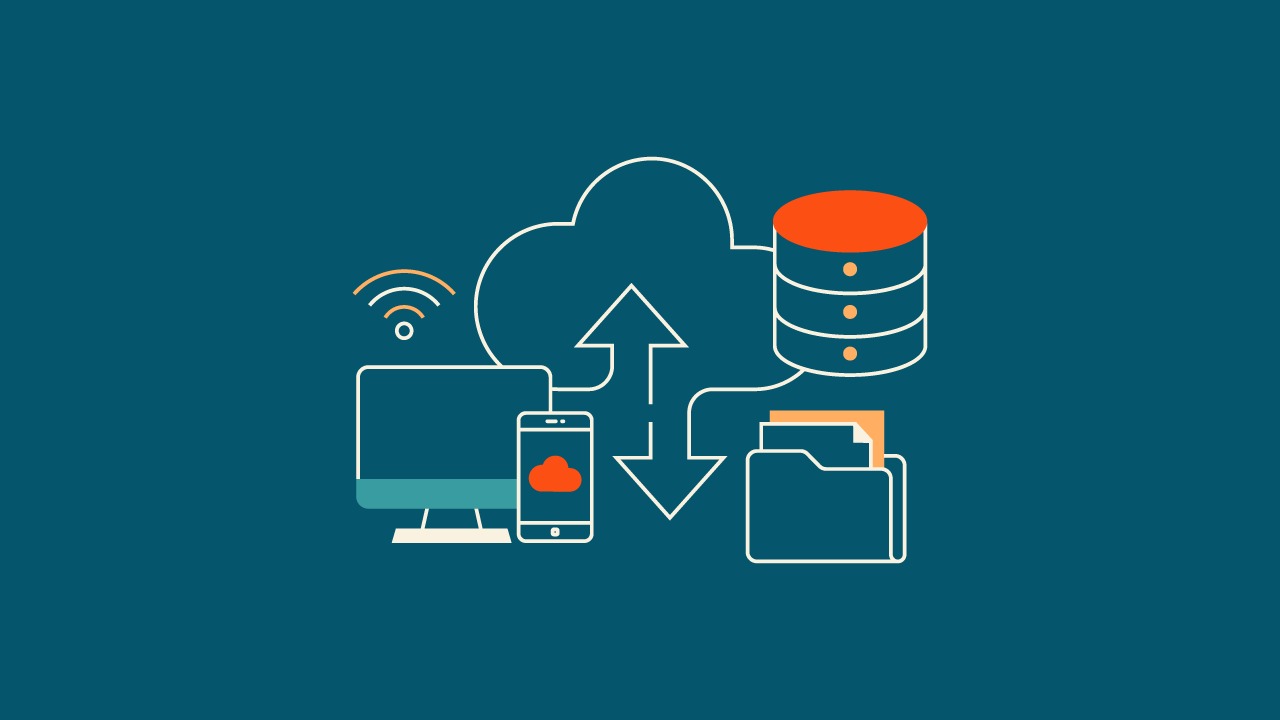
As an online media type, cloud storage is an excellent way to make backups. Any kind of data, including files and images, can be stored using this service. One can use cloud storage as a secondary backup in addition to a primary backup.
For a monthly charge, a cloud storage provider will give you a specific quantity of space on their servers. After that, you can store your backups in this area. To ensure your data is safe while it is being stored in the cloud, the majority of providers offer encryption services.
Any computer or mobile device with an internet connection can access your cloud backup. If something were to happen to your phone or PC, cloud storage would make data restoration simple. Cloud storage services, including Google Drive, iCloud, Dropbox, Backblaze, iDrive, and Microsoft OneDrive, are available for use.
Compared to traditional data backup techniques, cloud storage provides a number of significant benefits, such as;
- Simple and practical- Data backup to the cloud is a simple and fast process. It doesn't require any specialized hardware or software, and you may do it from any location.
- Secure and safe - Keeping your data safe is possible with cloud storage. Your data is encrypted while in transit and kept on servers that are guarded against both logical and physical threats.
- Reasonably priced- Particularly when compared to the price of purchasing and maintaining your own storage infrastructure, cloud storage is incredibly inexpensive.
- Adaptable - You may quickly scale up your cloud storage to match your growing data needs.
Train Your Staff
The quality of your backup and recovery procedures depends on who uses them. As a result, you should instruct your employees on how to carry out backups and restores, adhere to backup rules and processes, and report and handle any problems that may arise.
Along with emphasizing the need for data security, you should train your employees on how to prevent data breaches by employing solid passwords, avoiding phishing emails, and locking their devices. By increasing the security awareness of your personnel, you may lessen the human element that frequently results in data loss or compromise.
Prioritize Monitoring And Reporting
In order to make well-informed decisions about your data backup and recovery procedures, monitoring and reporting are essential.
Monitoring backup success and failure rates on a regular basis enables you to spot possible problems early and take quick corrective action. Furthermore, you can make sure your backup system grows with your company and fulfills its needs by keeping an eye on performance and capacity.
Comprehensive reporting, on the one hand, provides insightful information about how well your backup plan is working. This enables you to maximize efficiency and security through data-driven modifications.
While automation makes it easier to spot and fix manual errors quickly, human monitoring and reporting allow you to improve processes and adjust to changing business requirements continuously. This partnership between human supervision and automated systems makes sure that your backup plan is current and efficient.

How Can You Ensure Your Backups Are Secure?
A crucial component of any data protection plan is making sure backups are safe. First and foremost, encryption is essential. A strong layer of security is added by encrypting data while it is in transit and at rest to prevent unwanted access. This implies that without the right decryption key, the data is illegible regardless of whether the physical media or cloud storage is hacked.
Additionally, selecting safe storage spaces is essential. Using safes that are waterproof and fireproof or safe off-site storage facilities could be necessary for physical backups. It's crucial to choose a trustworthy cloud backup provider with robust security measures, such as multi-factor authentication and frequent security assessments.
One further crucial element is access control. Internal dangers are reduced when access to the backups is restricted. Strict access guidelines and role-based access control make sure that backup data is only handled by authorized persons. It's crucial to update these permissions on a regular basis, mainly when staff members leave the company or take on new responsibilities.
Testing backup integrity on a regular basis is another essential step. This guarantees not only the proper operation of the backups but also their long-term security. Any irregularities found throughout these tests may be a sign of security problems.
Encryption, safe storage, access control, frequent testing, applying security updates, and comprehensive documentation are all necessary for backup security. All of these procedures work together to guarantee that your backups continue to be a trustworthy and safe haven for your data.
Frequently Asked Question
Is It Necessary To Back Up Everything?
Not necessarily. Prioritize critical data and systems for backup. Regularly assess your data to determine what needs to be backed up.
What Is The Best Way To Speed Up The Backup Process?
Incremental or differential backups can speed up the process as they only back up changed data after an initial full backup.
How Can You Minimize Downtime During Data Recovery?
Have a clear recovery plan, use faster recovery methods like disk-based backups, and keep your recovery tools and processes up to date.
Final Words
Efficient data backup and recovery are indispensable in safeguarding valuable information in our increasingly digital world. By understanding and implementing various tips for efficient data backup and recovery, ensuring regular and secure backups, and establishing a robust recovery plan, individuals and organizations can significantly mitigate the risks of data loss.
Embracing best practices such as encryption, access control, and regular testing while staying adaptable to evolving technologies further strengthens this defense.
Remember, the key to effective data management lies not just in backing up data but in doing so strategically and securely, ensuring that when the need arises, recovery is swift and complete, maintaining continuity and peace of mind.