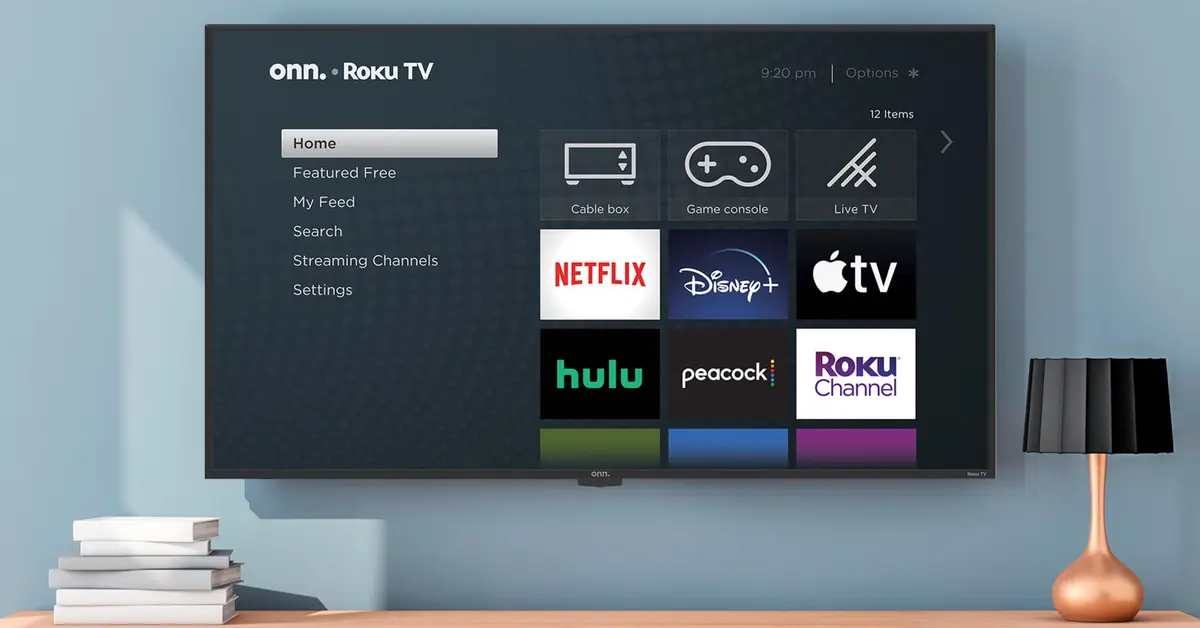
Onn TVs are super popular amongst people who do not want to break the bank to afford a TV. These TVs do offer the best bang for your buck, making them an ideal fit for people on a low-budget.
Just like other TVs, Onn TVs can also have some problems. Here, we have compiled all the common problems that occur on an Onn TV, which include TV not turning on, audio issues, and display issues.
Follow through the guide to know the common issues with the Onn TVs, and the potential fixes you can try to get rid of the issues.
Troubleshooting Power Issues
Power issues are quite common on TV, especially on mid-tier TVs. There can be issues on the Onn TVs in which the TV does not turn on, restarts, or in some cases turn off after a certain time.
Below, we have listed all of these issues, and provided potential solutions that can be tried to get rid of the issue.
Onn TV Not Turning On
There can be nothing more frustrating when your favorite game is being played, and your TV is not turning on.
Similar to other TVs, your Onn TV can also have a problem in which it does not turn on. The good news here is that there are some quick-to-follow steps that can bring your TV back to life.
Here are the Steps for Fixing Onn TV Not Turning On:
- First, and foremost, you need to check out the power socket, as your TV can’t get on with a faulty socket. The best way of testing the power socket is to plug another appliance into the socket and see if it works or not.
- In the second step, you need to check out the power cable on the TV for any sort of physical damage. When the power cable on the Onn TV is damaged, it means that the TV won’t be able to get its power, so it won’t turn on.
- If the power socket is working, and the power cable is also in good condition, then you need to power cycle the TV. In order to fully power cycle the TV, remove all the HDMI cables from the TV, plug it, wait for at least 30 seconds, and then plug it back.
- Even if the power cycling did not help you, then you need to reset your TV. You have to plug in the TV to the power socket, and then press, and hold the “Reset” button present on the side of the TV. Keep pressing the reset button until you see the Onn TV logo on the screen.
Onn TV Turns Off On Its Own
Another type of power issue that you can face on the Onn TV is the one in which it turns off on its own. The reasons and the fixes to this issue are also quite similar to the one in which the Onn TV does not power-up at all.
Here are the Steps for Fixing Onn TV that Turns Off on Its Own:
- Check for any sort of fluctuations in the electricity, or if the electricity voltages are too low. You can do this by using a multimeter.
- Also, you need to check out the power socket, if there is an issue with the power socket, your TV can switch off on its own.
- In the third step, you need to check the power cord for any sort of damage, as if the power cord is damaged, it can cause the sudden turn off on the Onn TV.
- A software glitch can also cause the Onn TV to turn off suddenly, and by performing a hard reset, you can get rid of the issue.
- If the hard reset did not resolve this problem for you, then you should try updating the firmware to the latest version.
Resolving Connectivity Problems
Connectivity problems can be troublesome, and sadly you can encounter connectivity problems on the Onn TVs including HDMI connectivity problems, WIFI connectivity problems, and Bluetooth connectivity problems.
How To Fix HDMI Connectivity Problems On Onn TV:
- First of all, you need to ensure that you have selected the right input source. For instance, if you are using HDMI 1, you have to select HDMI 1 from the options.
- Afterward, you need to check whether the connections are properly inserted into the TV or not.
- Finally, you need to replace the HDMI cable with a newer one to overrule the faulty cable issue.
By following the above-provided guide, you can easily fix the HDMI related issues.
How To Fix WIFI Connectivity Problems On Onn TV:
- In order to fix the WIFI connectivity issues on the Onn TVs, you need to power cycle the TV, as well as the router to get rid of any sort of software glitches.
- Afterward, check the distance between the router, and the TV. If the distance between the TV and the router is too much, you can face connectivity issues.
- In the third step, you need to reset both the TV and the router one by one and see whether it resolves the issue or not. In most cases, the issue is resolved by resetting both devices.
- Lastly, look around if there are software updates available for your TV. If there are any updates, you need to update to the latest version.
How To Fix Bluetooth Connectivity Problems On Onn TV:
- If you are having a hard time connecting your Bluetooth-enabled devices with the Onn TV, the first step that you need to do in such a case is to power cycle the TV. Power cycling can help you get rid of a lot of issues, including this one.
- Delete the paired Bluetooth devices on the Onn TV, if the number of paired devices on the Onn TV exceeds, you can face pairing issues.
- In the third and final step, you need to reset both the Onn TV, and the Bluetooth device one by one, and your issue will be resolved.
Fixing Audio And Sound Glitches
Audio is an important part of TV entertainment, and there can be audio problems with the Onn TV too.
Despite the fact that audio problems are rare on the Onn televisions, they can still happen.
Below, we have listed all the audio problems and the potential solutions you can try to fix these problems.
No Volume
No volume issue can be quite frustrating, as you can’t enjoy your TV without the audio. Luckily, you can resolve this issue easily without requiring expert help.
Here, we have compiled the steps for fixing the no-volume issue on the Onn TV.
- Increase the volume on the TV, and check whether the TV is muted or not.
- Also, check out the volume on the connected device like the Set-up box, or gaming console.
- In the third step, you need to check whether the correct output source is selected in the audio settings or not.
- Power Cycle your TV to remove all the cache, above, we have provided detailed steps for performing a power cycle on a TV.
- Perform a full factory reset to overrule the chances of poor factory settings.
- Checkout for the software updates, if there are any updates available, update to the latest version.
Low Volume
Just like the no volume issue, you can face low volume problems on the Onn TVs as well. When the volume on the TVs is too low, you can have a hard time enjoying the content.
Here are the complete steps for fixing the low-volume issue on the Onn TV:
- Start with the very basic steps, increase the volume on the TV, as well as the connected devices.
- If you are using a soundbar, you need to check out the volume on the soundbar too.
- In the third step, you need to ensure that the audio cable is properly inserted into both the devices, and in good shape.
- Power cycle the TV, as sometimes software glitches can also cause the TV to have low-volume issues.
- Checkout for the software updates, and if there are any updates available, update to the latest version.
A Lag In Audio
A lag in the audio means that the video and the audio are not properly aligned, and you get audio late as compared to the video.
Below, we have provided a complete guide for resolving issues when there is a lag in audio:
- In case you are facing audio lag on your Onn TV, the first step that you need to do in such a case is to power cycle the TV. In our experience, doing power cycles in order to fix the audio lag is very effective.
- Check out the audio cable if you are using a soundbar or home theater setup as if the audio cable is damaged, it can cause these sorts of problems.
- Try switching the content, as there can be problems with the content itself that are causing lag or delay in the performance.
- Perform a full factory reset on the TV to get rid of issues like these in which there is lag or delay in the sound.
- Also, check for firmware updates. If there is an update available, try to download, and install it.
Screen And Display Troubleshooting
Display and screen issues can also happen on the Onn TVs. Below, we have provided you with the commonly occurring display issues, and their potential solutions.
Black Screen
The black screen issue is caused due to poor connection most of the time. If your Onn TV is showing a black screen, firstly, you need to check out the connections, and then the cable, as these are two of the major reasons.
At times, you also need to do a full factory reset on the TV to fix the issue.
Screen Flickering
The screen flickering issue mainly comes due to a fault in the HDMI cable. Either the HDMI cable is not properly inserted or damaged.
So, you need to properly check the cable, and the connections to resolve the flickering issues. If the screen flickering issue is not resolved, then you need to power cycle the TV. In some cases, you also need to reset the TV to get rid of the flickering issue.
Color Distortion
If your Onn TV is showing distorted colors, the first thing that you need to do in such a case is to check out the cables, and connection.
Also, you need to check out the color settings, if the settings are not good, you need to correct the settings according to the company-provided settings.
In the third phase, you need to check for software updates, if software updates are available, update to the latest version.
Dealing With Software And Firmware Issues
Firmware issues although are not very common on the Onn TVs, still, they can happen. Software issues can cause problems like lag, apps not working, apps closing on their own, and similar kinds of issues.
There are two methods that you can follow to get rid of the software-related issues on the Onn TVs, you can either perform a software factory reset which wipes out all the data, and files on the TV, or you can update the firmware.
Check out the below-provided guide to perform a factory reset, and firmware upgrade on the Onn TVs.
How to Do Factory Reset on Onn TV:
- By using the remote, open the “Settings” on the Onn TV.
- Go down, and select “System”.
- Now, select “Advanced System Settings”.
- Select the “Factory Reset” option.
- Click on the “Factory Reset Everything”.
- Your Onn TV would ask now to input the four-digit code, enter it, and the Onn TV would get reset.
How to Do Firmware Upgrade on Onn TV:
- Open the Onn TV “Menu” using the remote.
- Click on the “Settings”.
- Open the “System” settings.
- Select the “System Update”
- Click on the “Check Now”.
- The firmware will now start downloading and updating now.
Smart TV Features And App Troubleshooting
Another issue that you can face with the Onn TVs is the one in which the smart functions or apps or not working on the TV.
Surely, it is quite frustrating when you cannot use your favorite apps, that’s why we have provided you with a complete guide for resolving the issue in which apps are not working properly.
Here are the Steps for Fixing Apps Not for Working Issues:
- When an app is not working, the first step that you need to do in such a case is to close the app, and then open it back again. In case it works, you are good to go, otherwise, you need to move on to the next step.
- In the second step, you need to do power cycling on your TV. Above, we have provided you with complete steps for properly power cycling your TV. Power cycling clears all the cache, which removes the errors most of the time.
- Check for updates, if there is an update available for your app. If there is an update available, you need to update to the latest version
- If none of the above-provided solutions has worked for you, then, the last resort you have is the reset. You can reset the Onn TV to get rid of the issue in which the apps don’t work.
Remote Control Malfunctions
Remote control malfunction can make your TV experience awful, and sadly, you can face remote malfunction problems on the Onn TV.
If you are facing a remote malfunction on your Onn TV, then you need to follow the below-provided guide to get rid of the issue.
Here are the Steps for Fixing the Remote Control Malfunction on Onn TV:
- If your Onn TV remote is not working, then the first step you need to do in such a case is to check the pairing, if the remote has been paired with the TV or not. In case, there is some pairing issue, you need to repair the remote with the TV.
- In the second step, you need to check out the batteries if they are in working condition. The best way of knowing it is by putting new batteries into the Onn TV.
- In the third and final step, you need to check out the infrared sensor on the remote, as well as the TV. In case the infrared sensor is not in good condition, you can face issues with the working of the Onn TV. So, check the infrared sensor on the remote, and clean it if required.
Maintenance Tips To Prevent Future Issues
Although a TV can have plenty of different problems, there is nothing much you can do about most of the problems. Still, there are some maintenance tricks that you need to follow to prevent issues with the TV and increase its lifespan as well.
Below, we have compiled all of these tricks which you can use for increasing the lifespan of the TV, and avoiding problems.
- Switch off the TV while not in use. Doing this simple fix can dramatically reduce the chances of problems on the TV, and extend its lifespan.
- Regularly update the firmware on the TV, as well as update the apps.
- Always keep the air vents clean, otherwise, your TV can heat and cause numerous problems.
- Do not ever use liquid on your TV screen while it's turned on as it can damage the screen.
- Use optimal brightness, and not too much brightness, as it can decrease the lifespan of the TV.
- Keep your TV away from other electronics as they can interfere with your TV’s electronics, and can cause problems.