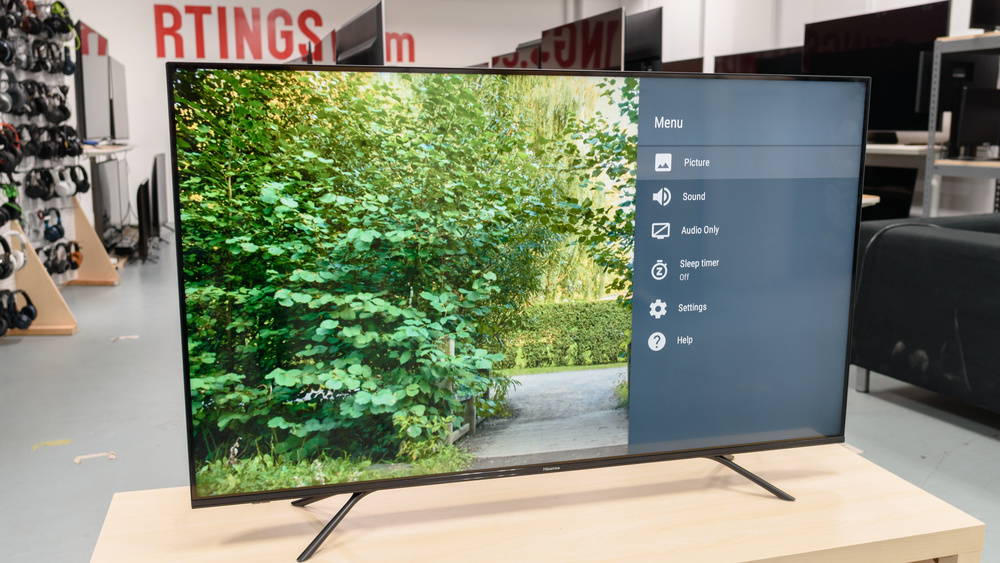
Hisense TVs are one of the most affordable TVs out there, offering the best bang for your buck. Just like every other TV out there, your Hisense TV can also have the red light blinking issue, in which it does not work, and blinks red light instead.
Typically, the red light blinking issue on the Hisense TV is caused due to power-related issues, however, there are other issues as well that can cause your Hisense TV to blink red light.
Here, we have compiled all the issues, and the solutions which you can use for fixing the Hisense TV blinking red light problem.
Common Causes Of The Blinking Red Light
The blinking of a red light can be caused due to various reasons which include both software and hardware problems. Either of these problems can cause the Hisense TV to blink red light on the Hisense TV.
Below, we have listed both the hardware, and software-related issues on the Hisense TV which can cause it to blink red light on the Hisense
Hardware-Related Issues Which Can Cause Red Light Blinking on Hisense TV:
- A loose or faulty cable
- Faulty HDMI cable
- Power-related issues
- Heating issues
- Faulty Motherboard
Software-Related Issues Which Can Cause Red Light Blinking on Hisense TV:
- Software glitch/cache issue
- Outdated firmware
Initial Troubleshooting Steps
Before you jump deep into the troubleshooting procedure of the Hisense TV blinking red light, you need to check out a few basic things.
First of all, you need to check if the cables are properly inserted into the TV. You need to check out both the power and the HDMI cables as if either of the cables is not properly inserted, they can cause the issue.
Also, you need to check out the power socket, if there is a proper electricity supply in the power socket. You can do this by using another appliance in the power socket, in case if the appliance works, then you are good to go, otherwise, you need to get it fixed.
If doing this does not solve your problem, you need to change your approach, for this, you need to move forward to the advanced troubleshooting.
When you are troubleshooting the Hisense TV, you need to ensure that you have taken safety precautions.
Advanced Troubleshooting:
If doing the basic troubleshooting did not resolve the issue for you, then you need to move on to the advanced troubleshooting which will involve several steps for resolving the issue.
Check out the below-provided step-by-step guide for resolving the issue in which the Hisense TV blinks red light.
Power Cycle Your TV
In the very first step, you need to power cycle your TV. Power cycling means, you need to turn on the TV, and then unplug it, wait for at least 20 seconds, and then replug the TV back into the power socket.
Power cycling the TV can help you get rid of many software-related glitches, including this one in which the Hisense TV blinks red light as it clears all the RAM, cache, and power from all the internal components of the TV.
Inspecting And Managing Cable Connections
Another common reason for the red light blinking issue on the Hisense TV is due to the damaged cables. There can be issues with the HDMI cable, and the power cable, which can cause this problem.
Here are the steps for Diagnosing the Issues With Cable Causing the Blinking Light Issue:
- First of all, you need to check out whether the cables are properly inserted or not.
- In the second step, you need to thoroughly check out the cable for any sort of damage, if there is any sort of damage on either the HDMI cable or the power cable, you need to replace it.
In case the cables are good to go, you need to move on to the next steps.
Software And Firmware Issues
Sometimes, there can be software, and firmware issues on your Hisense TV, that’s why it is blinking the red lights, asking you to fix the issues, and the Hisense TV would revive back.
When the red light is blinking on the Hisense TV, you cannot update the firmware on it like you normally do on a TV, instead, you need to use a USB flash drive, and manually do all the steps.
Below, we have provided complete steps for updating firmware on the Hisense smart TV:
- First of all, you need to go to the manufacturer’s website and download the firmware.
- Afterward, you need to transfer it to the USB drive.
- When you are done transferring it, you need to turn off the TV and put the USB flash drive into the USB port of the TV.
- Now, you need to turn on the TV and keep pressing the Standby button on the remote.
- In most cases, there would be a software update procedure started, in case, there is no update procedure, you need to move on to the next step.
Dealing With Potential Overheating
When your TV is overheating, it can also cause the red light blinking problem. The good news here is that, with our detailed step-by-step guide, you can easily fix the overheating issues on your TV without much worry.
Here are the steps for dealing with overheating on the Hisense TV.
- In case your TV is overheating, the first step you need to do in such a case is to check whether the ventilation of the TV is open or not. In case, the ventilation on the Hisense TV is blocked, it can cause a heating problem. So, you need to make sure the air vents on the TV are fully open.
- In the second step, you need to check for any of the heat-producing appliances, as they can also bring up the temperature on your TV.
- Also, you need to check out the location of the TV, as if it is on a wall that gets direct sunshine, in such a case, your TV can also cause the red light to blink.
- Last but not least, decrease the brightness, and the video graphics on the Hisense TV to bring the temperature to the optimum level.
When To Reset Your Hisense TV
If none of the above-provided solutions work for you, then you probably need to do a factory reset on your Hisense TV.
Factory resetting the Hisense TV would get rid of all the issues that can cause red light issues on the Hisense TV.
Here are steps for resetting your Hisense TV:
- First of all, you need to turn on the TV, when the TV has turned on, you need to wait for at least 20 seconds.
- Now, take a pin, and press the “Reset” button on the Hisense TV side panel.
- Keep the button pressed for about 10-15 seconds until the TV restarts, when the TV restarts, the Hisense TV will be fully reset.
Conclusion
Numerous reasons can cause your Hisense smart TV to blink red light. Most commonly, this issue is caused due to power issues. Apart from that, overheating, software glitches and power problems can also cause the red light blinking issue on the Hisense TV.
Above, we have compiled a complete step-by-step guide that you can follow to fix the red light blinking issue. These steps include power cycling, inspecting cables, firmware upgrade, dealing with overheating and resetting the Hisense TV.